Listen on the Go!
To the audio version of The Ultimate Digital Product Business, and  get the inside story on starting a digital product business that generates income from your knowledge.
If you've been putting off selling your digital products because you think you need a website first — I want to stop you right there.
You don't.
You don't need to buy a domain, wrestle with hosting, or learn a page builder before you make your first sale. What you need is a place where someone can click, pay, and instantly receive your product. That's it. And in 2026, there are several platforms that will give you exactly that for free.
I know the real fear underneath this question, because I hear it constantly: *"I'm not tech-savvy enough for this."*
So here's my promise for this post: every platform below can be set up in an afternoon, with no code, by someone who has never sold anything online before. I'll show you the honest fees, who each one is actually right for, and the one mistake almost every beginner makes with free platforms (it cost some sellers their entire business overnight — more on that below).
Let's find your starting point.
Every digital product sale needs three things: a way for people to *see* the offer, a way to *pay*, and a way to *deliver* the file. A website used to handle all three.
These platforms now handle all three for you — you get a link (a storefront page or a checkout link) that you can drop in your social bio, a DM, an email, or a pin.
Someone taps it, pays, and the platform delivers your file automatically.
That's the whole system. Your job shrinks down to two things: make something worth buying, and put the link where your people already are.
If you're still deciding *what* to sell, start with my list of 100 digital product ideas or these ten products you can make for free, then come back here to pick your platform.

Here's the honest side-by-side. "Free" almost always means "free to start, they take a cut when you sell" — which is actually the beginner-friendly deal, because you pay nothing until you're earning. (Fees below are accurate as of this writing; always confirm on the platform's pricing page before you commit.)
Platform
Cost to Start
Fee Per Sale
Best For
Beacons
Free (fee per sale)
Small % per sale Pro Plan reduces it
All-in-one: storefront + email list + link-in-bio in one place
Payhip
Free
5%
Lowest simple fee; embeddable anywhere; handles EU VAT for you
Gumroad
Free
10%
Zero-friction first sale; the most battle-tested option
Ko-Fi
Free
0% + payment processing
Creators with a small loyal audience; tips + a few products
Etsy
$0.20 per listing
6.5% + processing
Printables, planners, SVGs — buyers are already searching there |
Kit (formerly ConvertKit)
Free up to 10,000 subscribers
3.5% + $0.30
Selling directly to an email list you're building anyway
Systeme.io
Free plan
Varies by plan
Funnels + email + products in one dashboard as you grow
Notice something? The fees range from 0% to 10%. That difference matters a lot less than beginners think. On a $17 product, the gap between Payhip and Gumroad is 85 cents. Do not spend three weeks comparing fees on sales you haven't made yet. Pick one, launch, and optimize later. Momentum beats math at this stage.
I recommend Beacons to my community for one reason that the fee table can't show you: **it builds your email list while it sells your products.**
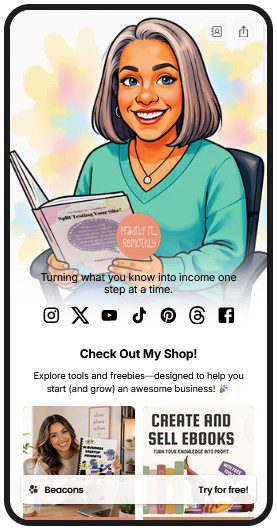
Most free platforms do one job — checkout. Beacons gives you a storefront, a link-in-bio page, an opt-in form, and simple email tools in one dashboard. That matters because the sale is not the most valuable thing that happens when someone buys from you. The *email address* is. A buyer's email is how you sell to them a second time, a third time, and a tenth time — without an algorithm's permission.
Setting up takes minutes: upload your product, set a price, and your storefront is live and mobile-friendly. Payment processing, delivery, and basic analytics are handled for you. No tech expertise required — and I say that as the person whose audience's number-one worry is "what if I can't figure out the tools?"
Here's the warning I include every time I talk about free platforms, because I watched it happen.
There used to be a platform called Koji — great features, free resources, thousands of creators built their whole business on it. Then it was bought by Linktree, and the features those businesses depended on disappeared essentially overnight. Sellers who had put all their eggs in that basket were left scrambling.
The lesson isn't "don't use free platforms." The lesson is: **a free platform is a launchpad, not a home.** You don't own it. You don't control it. The company can change the rules, raise the fees, or vanish — and your storefront, your customer list, and your momentum go with it.
Rented space is a great way to start. Just don't furnish it like you're staying forever.
Platform
Description
Solution
Beacons
I have zero audience and zero products live.
You need the storefront and the list-builder, and you need them today.
Etsy
I sell printables, planners, or SVGs.
Buyers are already searching there. The goal is to move your buyers onto your own list from day one.
Kit
I already have an email list, even a small one.
Sell where your people already are.
Gumroad or Payhip
I want the absolute simplest checkout link to test one product.
Ten minutes, done.
Ko-fi
I have a tiny but loyal following.
Zero platform fees while you're small.
Whichever you choose, the setup steps are the same: upload the product, write a description that names who it's for and what problem it solves, set a price, and share the link with a clear call to action.
I have to be honest with you, because that's the whole point of this blog: the platform is the easy 20%. The sellers who earn are the ones with a simple, repeatable system for the other 80% — choosing a product people already want, posting searchable content that brings buyers to the link, and following up with the emails they collect.
That system is exactly what I built [**The Same Day Seller**](https://makingitremotely.com/the-same-day-seller/) to hand you: a 5-step process that takes you from "I have an idea" to a live storefront with your first promotional content posted — using the free tools in this post, a step-by-step PDF, video walkthroughs, and the exact call-to-action scripts to use. No website. No tech overwhelm. It's built for the person who has read posts like this one before and needs someone to finally walk them through it in order.
→ Get The Same Day Seller and launch your storefront this week
And if you're not sure you're ready to sell yet? Take the free Online Business Readiness Check — 5 minutes, 20 questions, and you'll know exactly what's holding you back and what to do first.
Correct. A storefront link from any platform above handles display, payment, and delivery. A website becomes worth building once you have consistent sales and want to own your traffic — not before.
Automatically. Every platform on this list delivers the file (or access link) by email or download page the moment payment clears. You don't send anything manually.
Something small you can finish this week: a checklist, a template, a mini-guide that solves one specific problem for one specific person. Here are 100 proven ideas if you're stuck.
Beacons, because it combines the storefront with email list building — the two things every beginner business needs on day one.
Yes, and many sellers do — for example, Etsy for marketplace traffic plus Beacons for social traffic. Just keep one email list as the single home for every buyer, wherever they purchased.
There are many tools that you can use like Canva that has tons of templates. Use their templates as a starting point and add your details and personal spin to make them uniquely yours. The tool we use to create printable wall art, custom coloring books, digital planners, commercial clipart bundles, eBooks, images and more is Artistly.
If so, share it with a friend who keeps saying she'll start "once the website is done." She can start today instead.
Listen on the Go!
To the audio version of The Ultimate Digital Product Business, and get the inside story on starting a digital product business that generates income from your knowledge.